
How can smart lighting systems enhance home security? 3/8/2024
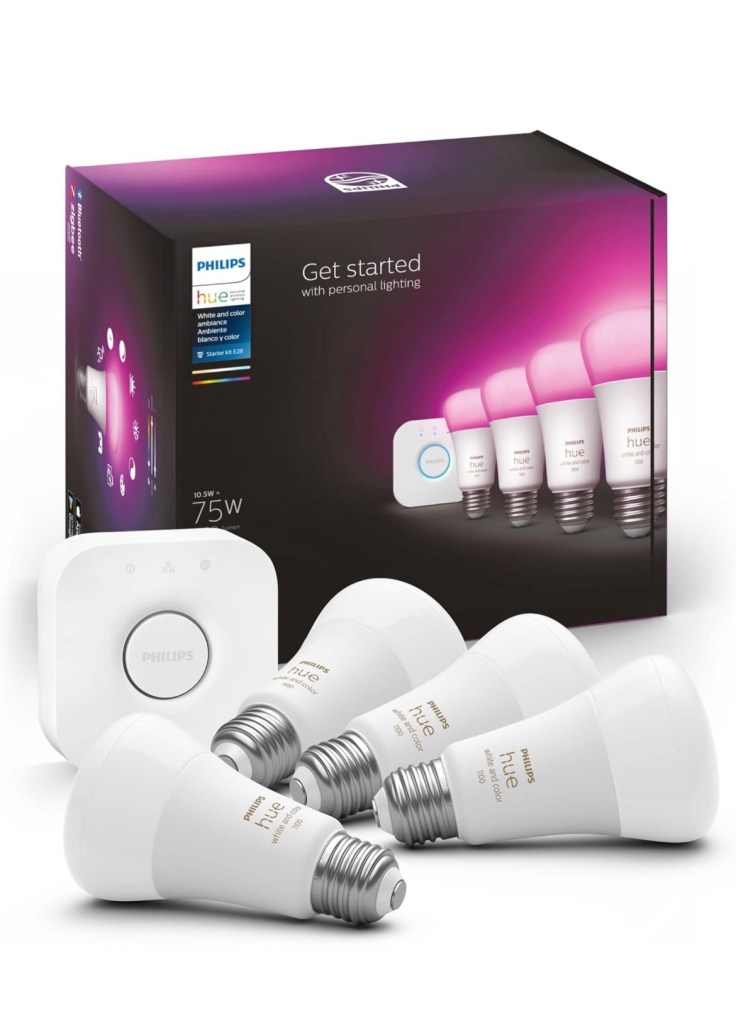
Smart lighting systems can enhance home security in several ways:
- Simulating Occupancy: One of the key features of smart lighting systems is the ability to create schedules or automation routines. By setting up a schedule or using motion sensors, you can program your lights to turn on and off at specific times or when motion is detected. This creates the illusion of someone being home even when you’re away, deterring potential intruders.
- Remote Control: With smart lighting systems, you can control your lights from anywhere using your smartphone. This means you can turn your lights on/off even if you’re not at home. If you notice any suspicious activity or want to check on your home, you can remotely control the lights to create the appearance of someone being present.
- Integration with Security Systems: Smart lighting systems can be integrated with other security devices like door/window sensors, security cameras, or alarm systems. For example, when a door or window is opened, the lights can automatically turn on to deter intruders. They can also work in conjunction with security cameras, triggering the lights to turn on when motion is detected, providing better visibility for surveillance.
- Geofencing: Some smart lighting systems use geofencing technology, which detects your smartphone’s location. With geofencing, you can set up rules for your lights to automatically turn on/off based on your location. For instance, when you leave home, the lights can turn off automatically, and when you approach your home, the lights can turn on. This helps create the illusion of activity and makes your home appear occupied, even when you’re not there.
- Integration with Smart Home Security Platforms: Smart lighting systems can integrate with smart home security platforms, allowing for centralized control and management. These platforms often provide advanced security features like real-time alerts, video monitoring, and the ability to control multiple devices from a single interface. By integrating your smart lighting system with a comprehensive smart home security platform, you can enhance the overall security of your home.
By incorporating these security-enhancing features, smart lighting systems can play a crucial role in deterring intruders, creating the appearance of occupancy, and providing better visibility for surveillance. They offer convenience, flexibility, and peace of mind when it comes to home security.
Embrace the future with Smart Switch Geofencing 1/24/2024
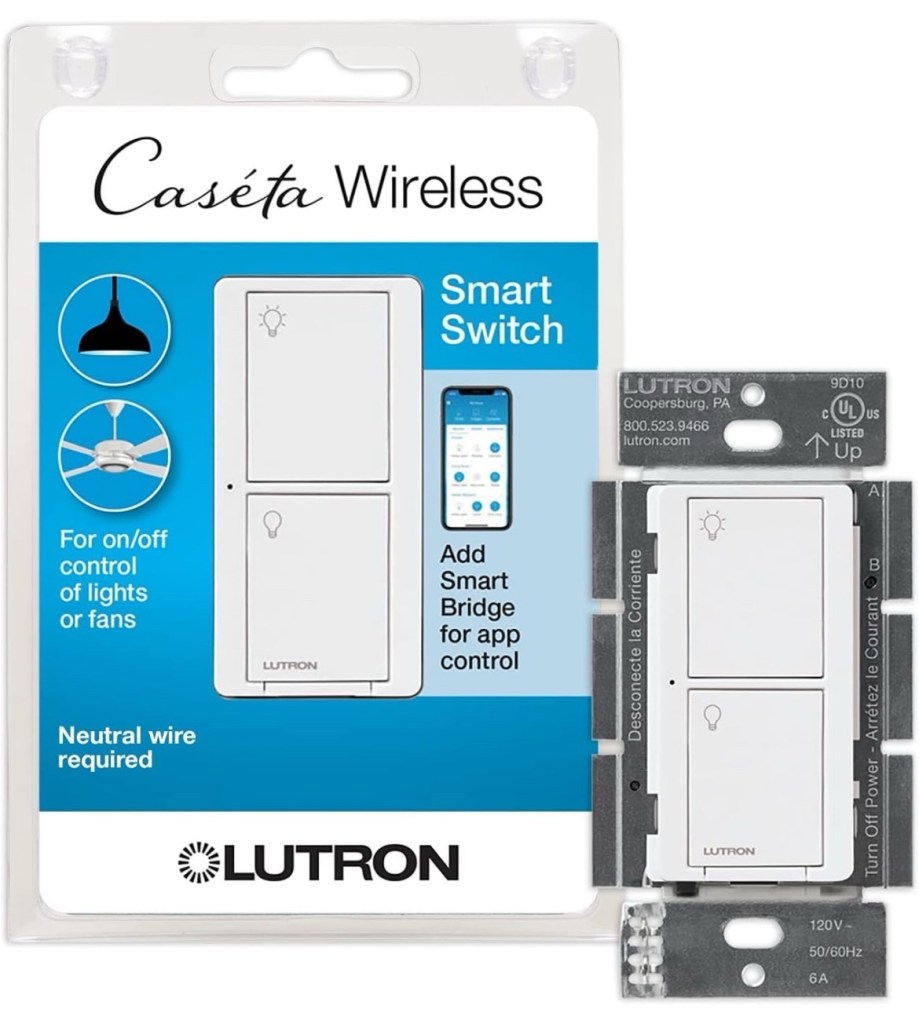
Introduction:
In our fast-paced world, technology continues to evolve, offering innovative solutions to simplify and enhance our daily lives. One such advancement is the introduction of smart switch geofencing. This cutting-edge technology allows you to automate and control your home’s lighting and appliances based on your location. In this blog, we will explore the concept of smart switch geofencing, its benefits, and how it can revolutionize the way we interact with our homes.
What is Smart Switch Geofencing?
Smart switch geofencing is a feature that utilizes the GPS capabilities of our smartphones to trigger specific actions when we enter or leave a defined geographic area. By integrating this technology with our home automation systems, we can create personalized and convenient experiences tailored to our needs.
How Does it Work?
Smart switch geofencing relies on a combination of GPS, Wi-Fi, and mobile apps to track our location and communicate with our smart home devices. Once we set up the geofencing parameters, such as the radius and location, the system will automatically detect when we enter or exit the designated area. This triggers the predefined actions, such as turning on or off lights, adjusting thermostats, or activating appliances.
Benefits of Smart Switch Geofencing:
- Energy Efficiency: With smart switch geofencing, you can ensure that lights and appliances are automatically turned off when you leave your home, reducing energy consumption and lowering electricity bills.
- Convenience and Comfort: Imagine arriving home after a long day, and the lights automatically turn on as you approach the front door. Smart switch geofencing allows you to create a welcoming and comfortable environment without the need to manually control your devices.
- Enhanced Security: By integrating smart switch geofencing with your home security system, you can simulate occupancy by turning on lights and activating appliances when you’re away, deterring potential intruders.
- Customization: Geofencing technology enables a high level of customization. You can set different actions based on your specific needs and preferences. For example, you can program your lights to turn on gradually as you approach your home, creating a warm and inviting atmosphere.
- Peace of Mind: Smart switch geofencing provides peace of mind by eliminating worries about leaving lights or appliances on. You can have confidence knowing that your home is efficiently managed, even when you’re not there.
Implementing Smart Switch Geofencing:
To implement smart switch geofencing, you will need compatible smart home devices, a smartphone with GPS capabilities, and a compatible mobile app. Many smart home platforms, such as Apple HomeKit, Google Assistant, and Amazon Alexa, offer geofencing features within their ecosystems. These platforms allow you to set up geofencing parameters and customize actions for your devices.
Conclusion:
Smart switch geofencing offers a seamless and intuitive way to interact with our homes. By leveraging the power of location-based automation, we can enhance energy efficiency, convenience, security, and customization. As technology continues to evolve, embracing smart switch geofencing can bring us closer to a future where our homes adapt to our needs, making our lives easier and more comfortable. So, why not embrace the future and explore the possibilities of smart switch geofencing for your home?
Most Impressive Smart Home Feature 1/16/24
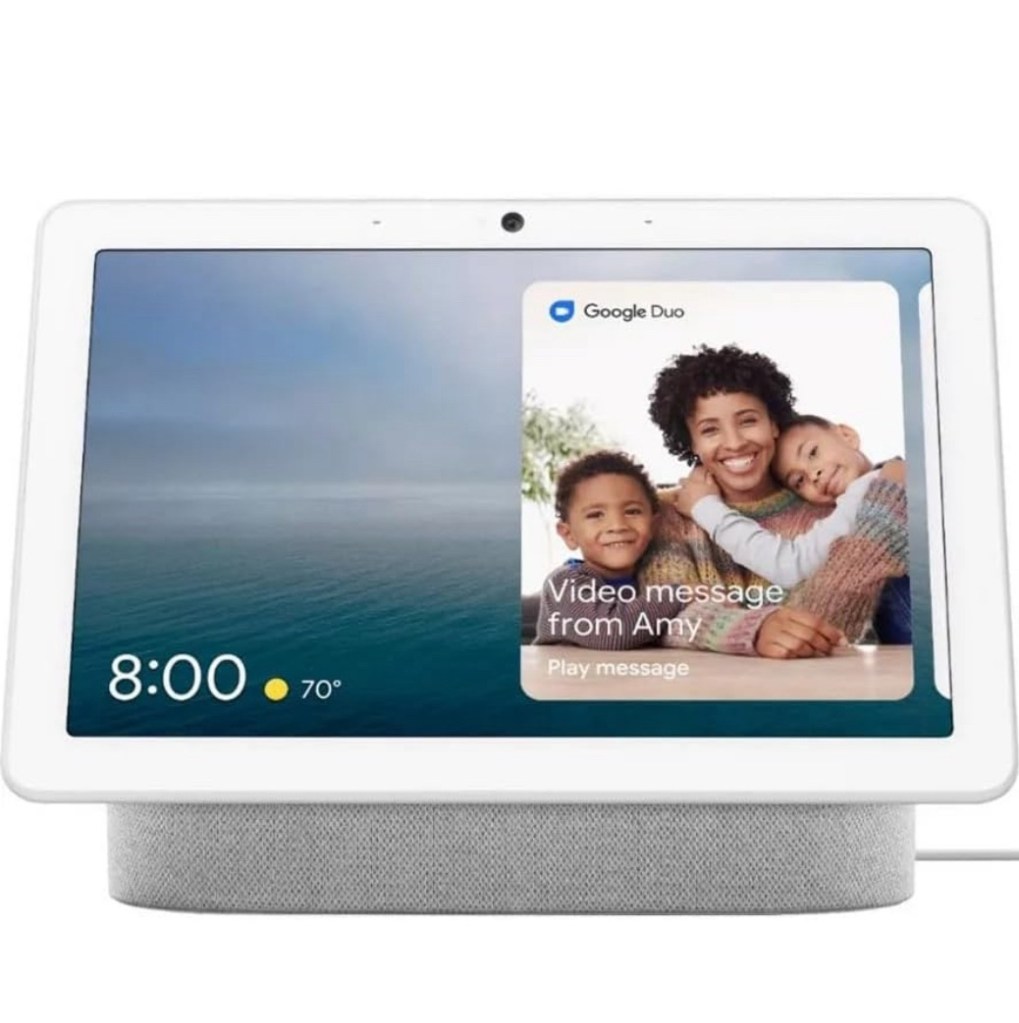
While there are many cool features of a smart home, one of the most impressive and futuristic ones is voice control. Voice control allows homeowners to interact with their smart home devices and systems using natural language commands, making the entire experience feel like something out of a sci-fi movie.
With voice control, you can simply speak commands or questions to your smart home assistant, such as “turn off the lights,” “set the thermostat to 70 degrees,” or “play my favorite music playlist.” The assistant, powered by artificial intelligence, understands your voice and executes the commands accordingly.
The coolest aspect of voice control is its ability to integrate with multiple devices and systems in your home. You can control not only your lighting and thermostat but also your entertainment system, security cameras, door locks, and more, all with the power of your voice.
Imagine walking into your home and saying, “I’m home,” and instantly the lights turn on, the temperature adjusts to your preferred setting, and your favorite music starts playing softly in the background. Or imagine being able to control your entire home’s settings from the comfort of your couch, simply by speaking commands to your voice-controlled assistant.
Voice control brings a level of convenience, efficiency, and intuitiveness that truly transforms the way you interact with your home. It eliminates the need for physical buttons or controls and allows for a hands-free and seamless experience. It’s like having your own personal assistant who listens to your every command and makes your living environment respond to your needs and preferences.
Not only is voice control a cool feature, but it also opens up a world of possibilities for future advancements in smart home technology. As voice recognition and artificial intelligence continue to improve, we can expect even more sophisticated and personalized experiences in our homes, making our lives easier and more enjoyable.
So, if you’re looking for a truly cool feature in a smart home, voice control is definitely one that will impress both you and your guests while adding a touch of futuristic charm to your living space.
Mastering the art of installing a light switch: A step by step guide 1/13/24
Introduction:
Wiring a light switch may seem like a daunting task for many homeowners, but with the right knowledge and guidance, it can be easily accomplished. Whether you’re looking to replace an old switch or install a new one, this comprehensive guide will walk you through the process, ensuring a safe and successful outcome. So, let’s dive in and learn how to wire a light switch like a pro!
Step 1: Gather the Necessary Tools and Equipment:
Before you begin, make sure you have the following tools and equipment handy:
- Screwdriver (flathead and/or Phillips, depending on the switch)
- Wire strippers
- Voltage tester
- Electrical tape
- Wire connectors
- Light switch (single-pole or three-way, depending on your needs)
- Electrical cables (typically black, white, and bare copper)
Step 2: Turn Off the Power:
Safety is paramount when working with electricity. Start by turning off the power to the circuit you’ll be working on. Locate the circuit breaker panel and switch off the corresponding breaker. To be extra cautious, use a voltage tester to ensure the power is truly off before proceeding.
Step 3: Remove the Old Switch (if applicable):
If you’re replacing an existing switch, carefully remove the cover plate and unscrew the switch from the electrical box. Take note of the wires connected to the switch and their respective positions. I like to take a picture of the switch and how it’s wired before I disconnect any wires.
Step 4: Prepare the Wires:
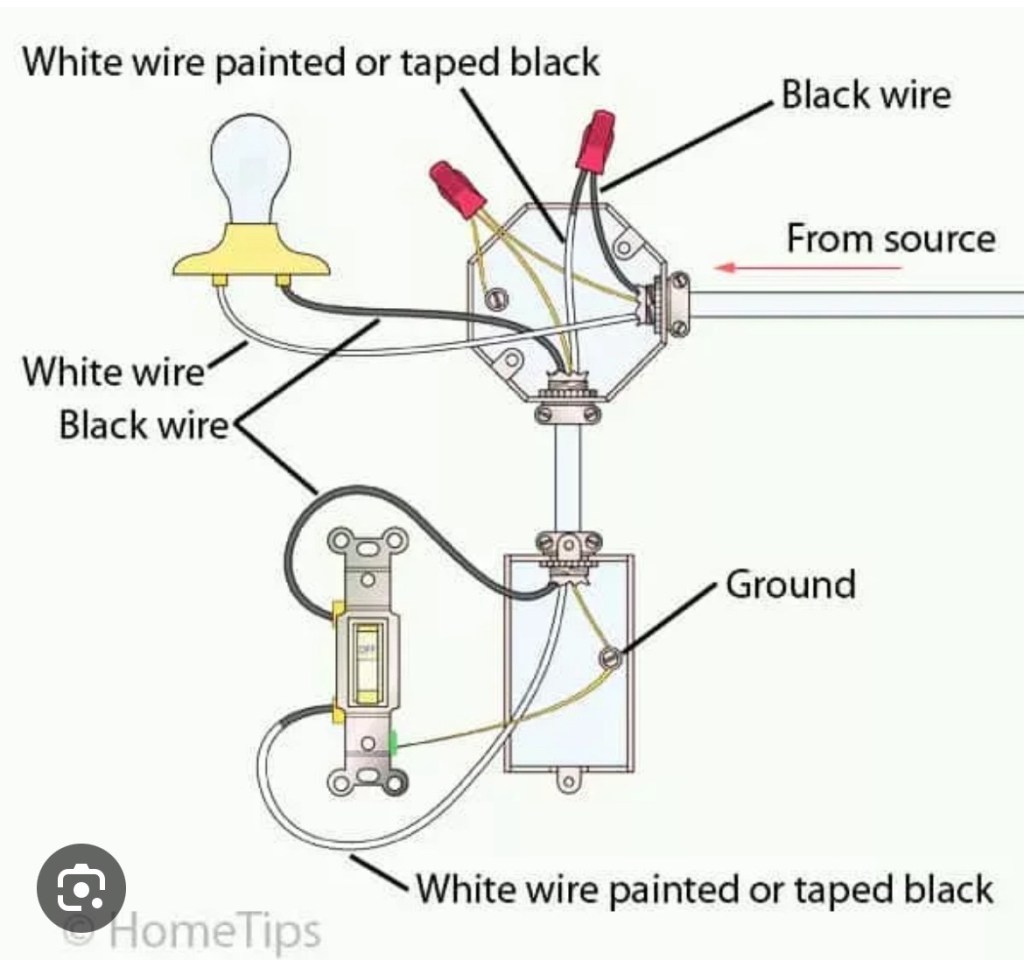
Once the old switch is removed, assess the wiring. Typically, you’ll find three wires: a black (line/hot) wire, a white (load/switch leg) wire, and a bare copper (ground) wire. If necessary, use wire strippers to remove a small portion of insulation from each wire.
Step 5: Connect the Wires:
Start by connecting the bare copper (ground) wire to the green grounding screw on the new switch. This wire ensures safety by providing a path for electrical current in the event of a fault.
Next, connect the black (line/hot) wire to the brass screw terminal on the switch.
Lastly, connect the white (load/switch leg) wire to the silver screw terminal on the switch. This wire completes the circuit and allows the flow of electricity.
Step 6: Secure the Switch and Test:
Carefully tuck the connected wires back into the electrical box, ensuring they are not pinched or strained. Screw the switch into place, making sure it is securely mounted.
Once everything is in place, restore power to the circuit by flipping the breaker switch. Test the light switch by turning it on and off to confirm that it is functioning correctly. If the light doesn’t turn on, double-check the wiring connections and consult a professional if needed.
Conclusion:
Congratulations! You have successfully wired a light switch and gained a valuable skill that can come in handy for various electrical projects. Remember, safety should always be your top priority, so if you’re unsure or uncomfortable working with electricity, it’s best to seek professional assistance. With the right tools, knowledge, and a little patience, you can confidently tackle electrical projects and create a well-lit and functional space in your home. Happy wiring!
Title: How can a smart thermostat save me money 1/8/24
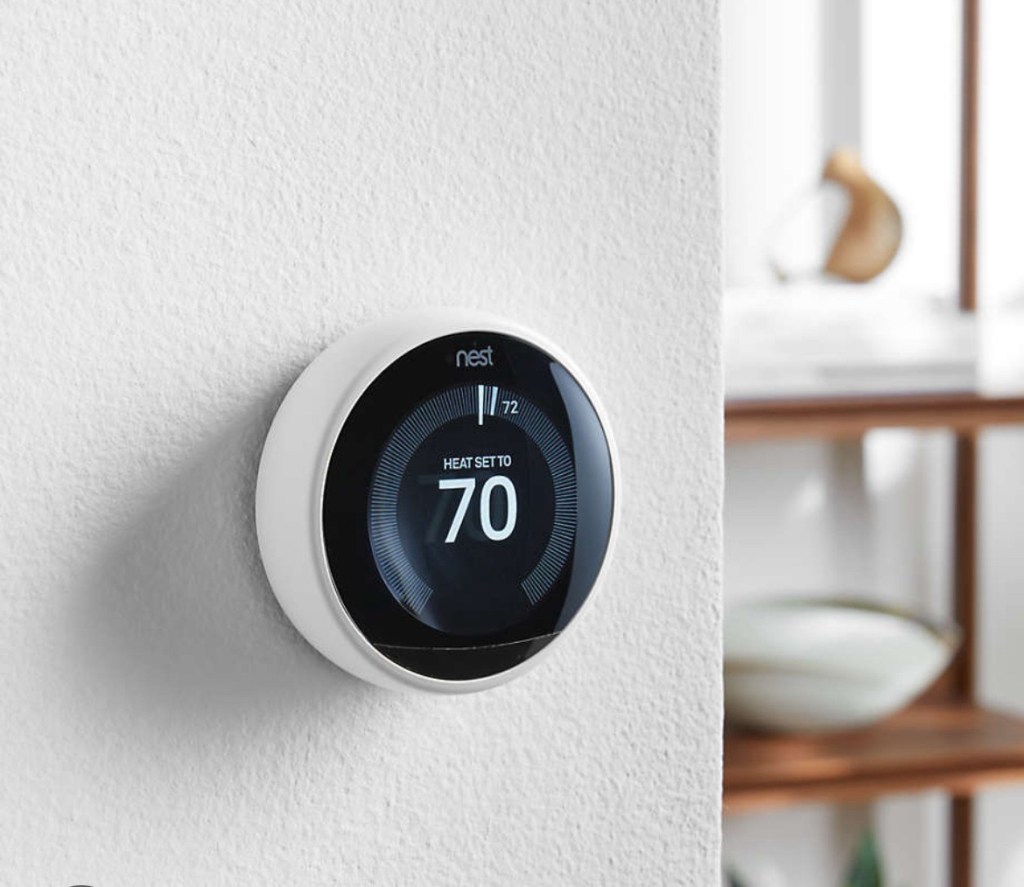
A smart thermostat can help you save money in several ways:
1️⃣ Energy Efficiency: Smart thermostats are designed to optimize energy usage by learning your daily routines and adjusting the temperature accordingly. They can automatically adjust the temperature when you’re away from home or asleep, reducing energy consumption and costs.
2️⃣ Remote Access and Control: With a smart thermostat, you can remotely control your heating and cooling system through a mobile app. This allows you to adjust the temperature settings even when you’re not at home. For example, if you forgot to turn off the AC before leaving, you can do so from your phone, preventing unnecessary energy waste and expenses.
3️⃣ Customized Scheduling: Smart thermostats offer the flexibility to create customized temperature schedules based on your preferences. You can set different temperature levels for different times of the day or days of the week. This feature ensures that your home is heated or cooled only when necessary, saving energy and money.
4️⃣ Energy Usage Insights: Many smart thermostats provide energy usage reports and insights. They track how much energy your heating and cooling system consumes and provide you with detailed information. By understanding your energy usage patterns, you can identify areas where you can make adjustments to optimize efficiency and reduce costs.
5️⃣ Integration with Other Smart Devices: Smart thermostats often integrate with other smart devices in your home, such as smart lighting or occupancy sensors. This integration allows for more comprehensive energy management. For example, when no one is home, the thermostat can communicate with other devices to turn off lights or reduce power usage in unused areas, further reducing energy waste.
6️⃣ Geofencing Technology: Some smart thermostats utilize geofencing technology, which uses your smartphone’s location to determine when you’re approaching or leaving home. By detecting your proximity, the thermostat can automatically adjust the temperature to ensure comfort when you arrive and conserve energy when you’re away.
7️⃣ Learning Capabilities: Smart thermostats can learn your temperature preferences over time. They analyze your adjustments and patterns, and then automatically adjust the temperature accordingly. This learning capability ensures that your home remains comfortable while minimizing unnecessary energy consumption.
By leveraging these features and functionalities, a smart thermostat can help you optimize your energy usage and reduce heating and cooling costs. Over time, the savings can add up, making it a worthwhile investment for both your wallet and the environment.
Title: What are some features of smart home lighting systems? 1/1/2024

Smart home lighting systems offer a variety of features that enhance convenience, energy efficiency, and customization. Here are some common features of smart home lighting systems:
- Remote Control: With smart lighting systems, you can control your lights from anywhere using your smartphone or tablet. This means you can turn lights on/off, dim or brighten them without being physically present in the room. Purchase Smart Switch Here
- Voice Control: Many smart lighting systems are compatible with voice assistants like Amazon Alexa, Google Assistant, or Apple Siri. This allows you to control your lights using simple voice commands, making it convenient and hands-free. Purchase Here: https://amzn.to/47eoACY
- Scheduling and Automation: Smart lighting systems enable you to create schedules for your lights. You can set specific times for lights to turn on/off or even create custom lighting scenes for different moods or activities. Automation features can also simulate occupancy when you’re away, enhancing home security.
- Dimming and Brightness Control: Smart lighting systems allow you to adjust the brightness level of your lights. You can dim the lights for a cozy ambiance or brighten them for better visibility. Some systems even offer gradual dimming or preset brightness levels.
- Color Changing: Certain smart lighting systems offer the ability to change the color of your lights. You can choose from a wide range of colors and create dynamic lighting effects to suit different occasions or moods. Purchase Here: https://amzn.to/48g7uWJ
- Energy Monitoring and Efficiency: Smart lighting systems often provide energy monitoring features, allowing you to track energy usage and identify areas for optimization. They can also integrate with motion sensors or occupancy sensors to automatically turn off lights in unoccupied rooms, saving energy. Purchase Here: https://amzn.to/3vbPpu3
- Integration with Other Devices: Smart lighting systems can be integrated with other smart home devices and systems. For example, they can work in conjunction with door/window sensors or security systems to turn on lights when someone enters a room or to simulate occupancy when you’re away.
- Geofencing: Some smart lighting systems utilize geofencing technology to automatically adjust the lights based on your location. For example, the system can turn on the lights when you arrive home and turn them off when you leave, ensuring energy efficiency and convenience. Purchase Here: https://amzn.to/3tJ2quH
- Grouping and Zones: Smart lighting systems allow you to group lights together and control them collectively. You can create zones within your home and control the lighting in each zone independently.
These features provide flexibility, convenience, and energy efficiency, allowing you to personalize and customize your home lighting experience according to your preferences and needs.
Title: How do I troubleshoot an electrical outlet that’s not working 12/28/23
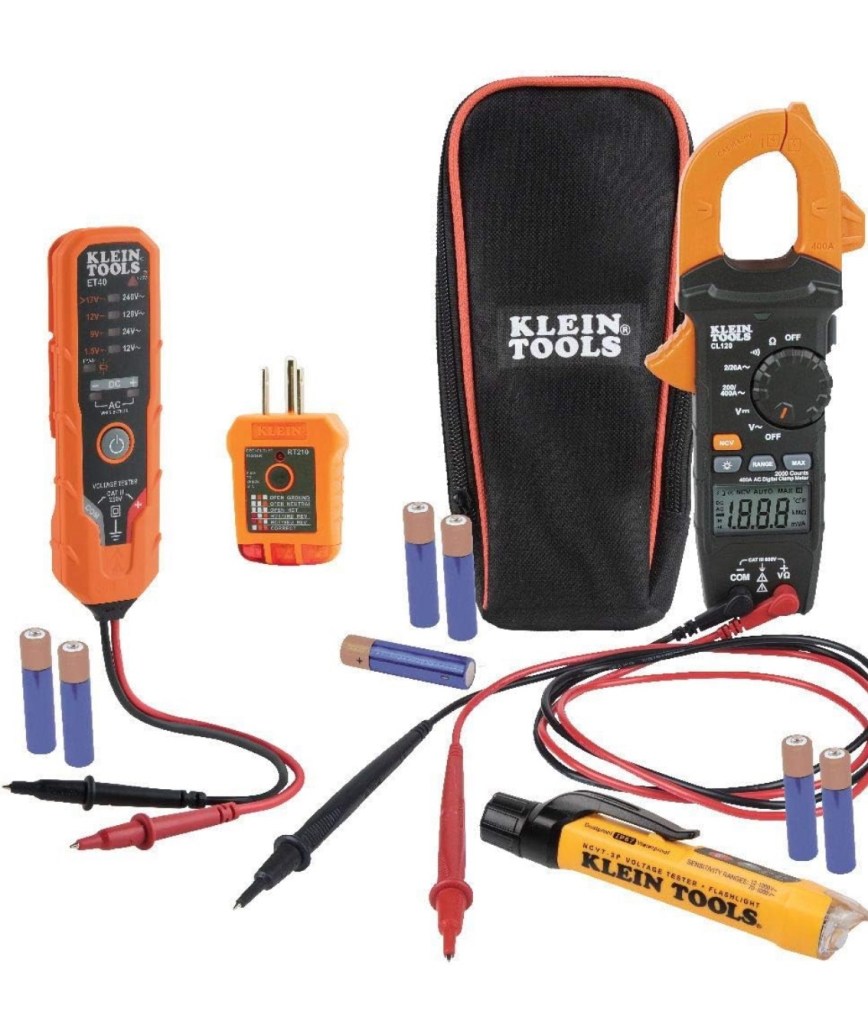
If you’re experiencing an electrical outlet that’s not working, here are some troubleshooting steps you can follow:
- Check other outlets: First, check if other outlets in the same room or nearby are working. If multiple outlets are not working, the problem may be with a tripped circuit breaker or a blown fuse.
- Reset circuit breaker or replace fuse: Locate the electrical panel in your home and check if any circuit breakers have tripped or fuses have blown. If you find a tripped circuit breaker, reset it by flipping it to the “OFF” position and then back to the “ON” position. If you have fuses, replace the blown fuse with a new one of the same amperage.
- Test the outlet: Use a voltage tester or a multimeter to check if there is power at the outlet. Make sure to follow the manufacturer’s instructions for using the testing tool. If there is no power, proceed to the next step.
- Check the GFCI outlet: Some electrical outlets are connected to a Ground Fault Circuit Interrupter (GFCI) outlet. Look for a GFCI outlet in the same room or nearby. Press the “RESET” button on the GFCI outlet to see if it restores power to the non-working outlet. If the GFCI outlet trips again immediately, there may be a fault in the wiring or a faulty appliance connected to the circuit. In that case, you may need to consult a qualified electrician.
- Inspect the outlet: If the outlet is still not working, turn off the power to the circuit at the electrical panel. Carefully remove the outlet cover plate and inspect the wiring connections. Make sure all wires are securely connected to the outlet terminals. If any wires are loose or damaged, tighten or replace them as necessary. Additionally, check for any signs of burning or scorch marks, which could indicate a more serious issue.
- Call a professional electrician: If you have followed the above steps and the outlet is still not working, or if you are uncomfortable working with electricity, it is best to contact a qualified electrician. They will have the expertise to diagnose and resolve the problem safely.
Remember, safety is crucial when working with electricity. Always turn off the power to the circuit before conducting any inspections or repairs, and if you are unsure or uncomfortable with any electrical work, it’s best to seek professional help.
Title: Smart Home Energy Monitoring 12/23/23
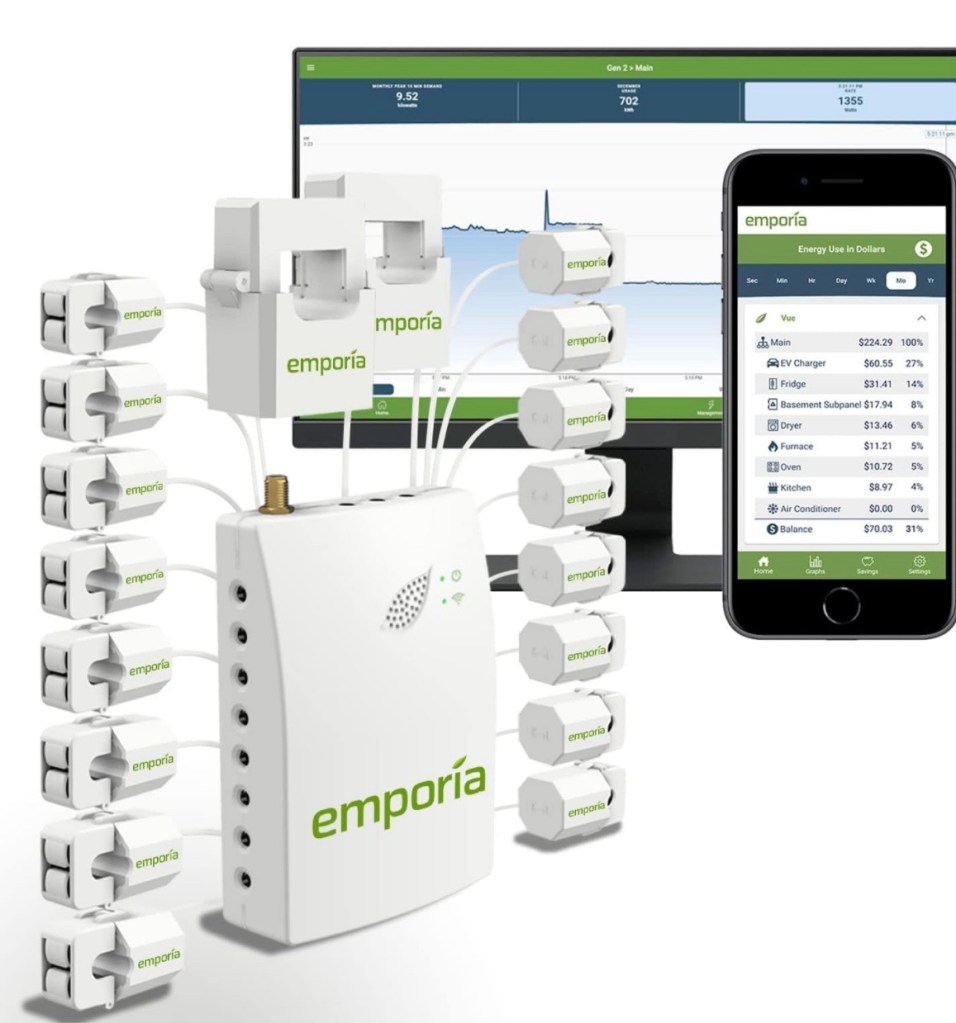
A smart home energy monitor is a device that allows you to track and monitor your home’s energy consumption in real-time. It provides detailed information about how much energy your appliances and devices are using, allowing you to make informed decisions to reduce energy consumption and save money on your utility bills. Here are some key features and benefits of a smart home energy monitor:
- Real-time Energy Monitoring: A smart energy monitor provides instant feedback on your energy usage, showing you the amount of electricity being consumed by different appliances and devices in your home. This helps you identify energy-hungry appliances and make adjustments to reduce energy waste.
- Historical Data Analysis: Smart energy monitors often come with accompanying mobile apps or web portals that allow you to view historical data on your energy consumption. This data can help you identify patterns and trends in your energy usage, enabling you to make more informed decisions about energy-saving strategies.
- Appliance-Level Monitoring: Some smart energy monitors offer the ability to monitor energy usage at the individual appliance level. This feature allows you to identify specific appliances that are consuming excessive energy and take appropriate actions, such as replacing them with more energy-efficient models or adjusting their usage patterns.
- Energy Usage Notifications: Smart energy monitors can send you notifications or alerts when there are significant changes in your energy consumption. For example, you may receive an alert if your energy usage suddenly spikes, indicating a potential issue or wasteful behavior.
- Goal Setting and Energy Saving Tips: Many smart energy monitors allow you to set energy-saving goals and provide personalized tips to help you achieve those goals. They can suggest energy-saving practices, such as adjusting thermostat settings, turning off lights when not in use, or optimizing the use of energy-intensive appliances.
- Integration with Smart Home Systems: Smart energy monitors can often integrate with other smart home devices and systems, such as smart thermostats or smart plugs. This integration allows for automated energy-saving actions, such as turning off appliances when you’re away from home or adjusting temperature settings based on occupancy.
- Cost Monitoring: In addition to tracking energy consumption, some smart energy monitors can also estimate the cost of your energy usage in real-time. This feature helps you understand the financial impact of your energy consumption and motivates you to make changes to reduce costs.
By providing real-time feedback, detailed information, and actionable insights, smart home energy monitors empower homeowners to make smarter energy choices, reduce energy waste, and ultimately save money on their utility bills.
Title: Understanding LED Bulb Flickering 12/22/23

Introduction:
LED bulbs have become increasingly popular due to their energy efficiency and long lifespan. However, one common issue that homeowners may encounter with LED bulbs is flickering. LED bulb flickering can be frustrating and disruptive, affecting the overall lighting experience. In this article, we will explore the causes of LED bulb flickering and provide practical solutions to help homeowners address and resolve this issue.
- Voltage Fluctuations:
One of the main causes of LED bulb flickering is voltage fluctuations in the electrical system. LED bulbs are more sensitive to voltage changes compared to traditional incandescent bulbs. Fluctuations can occur due to various reasons, such as overloaded circuits, loose connections, or incompatible dimmer switches. To address this issue, homeowners should consider installing voltage regulators or stabilizers to maintain a consistent power supply to the LED bulbs. - Incompatible Dimmer Switches:
Using incompatible dimmer switches with LED bulbs can also cause flickering. Traditional incandescent bulbs and LED bulbs have different electrical characteristics. LED bulbs require specific dimmer switches designed for compatibility with LED technology. Homeowners should ensure that the dimmer switch they are using is labeled as “LED compatible” or “dimmable LED.” Upgrading to a compatible dimmer switch can help eliminate flickering and allow for smooth dimming control. - Loose Connections:
Loose connections between the LED bulb and the socket can result in flickering. Over time, vibrations or improper installation can cause the connection to become loose, leading to intermittent contact and flickering. To fix this issue, homeowners should first turn off the power to the affected circuit and then carefully tighten the bulb into the socket. If the problem persists, it may be necessary to replace the socket or seek professional assistance to ensure a secure and stable connection. - Overloaded Circuits:
LED bulb flickering can also occur when the electrical circuit is overloaded. Overloading can happen when multiple high-power devices or appliances are connected to the same circuit, causing voltage drops and fluctuations. To address this issue, homeowners should redistribute the electrical load across different circuits or consider upgrading the electrical system to accommodate the increased demand. By ensuring that the circuit is not overloaded, homeowners can minimize flickering issues and maintain stable lighting conditions. - Cheap LED bulbs: Not all LED bulbs are created equal. Some non-dimmable bulbs will begin to flicker shortly after installing them. To hedge against flickering choose a more expensive brand name dimmable LED bulb such as Phillips non-flickering LED bulbs or Sylvania true wave LED bulbs.
Conclusion:
LED bulb flickering can be a frustrating and bothersome problem for homeowners. Understanding the causes of flickering, such as voltage fluctuations, incompatible dimmer switches, loose connections, and overloaded circuits, is crucial to finding effective solutions. By addressing these issues, homeowners can enjoy the benefits of LED bulbs without the annoyance of flickering. Whether it involves installing voltage regulators, upgrading dimmer switches, tightening connections, or redistributing electrical loads, taking appropriate measures will help ensure stable and flicker-free lighting throughout the home.
Title: Surge Protectors 12/20/23
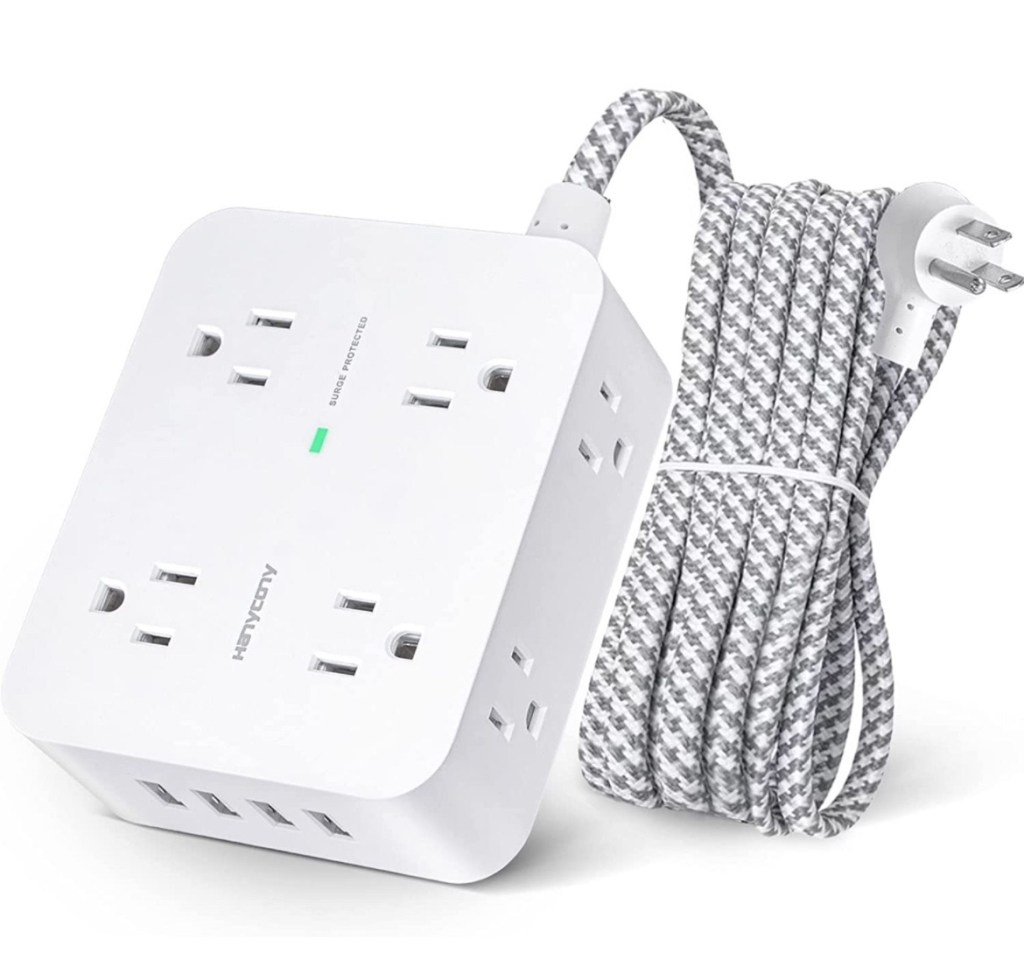
How do surge protectors help protect electrical appliances and devices from power surges?
Surge protectors are electrical devices designed to safeguard your electrical appliances and devices from power surges. A power surge is a sudden increase in voltage that can occur due to various reasons, such as lightning strikes, power grid fluctuations, or switching on high-power electrical devices. These voltage spikes can cause significant damage to your electronics.
Here’s how surge protectors help protect your electrical appliances and devices:
- Diverting excess voltage: Surge protectors are equipped with a component called a metal oxide varistor (MOV) or a gas discharge tube (GDT). These components can detect a sudden surge in voltage and divert the excess voltage away from your devices. By redirecting the excessive voltage to the ground, surge protectors prevent it from reaching your appliances and causing damage.
- Absorbing and dissipating energy: In addition to diverting excess voltage, surge protectors also have built-in components that absorb and dissipate the excessive energy generated during a power surge. This helps to further protect your devices by absorbing the excess power and preventing it from reaching your electrical equipment.
- Providing multiple outlets: Surge protectors typically come with multiple outlets, allowing you to connect several devices to a single surge protector. This is particularly useful because it allows you to protect multiple devices simultaneously. By plugging your appliances into the surge protector, you ensure that they are all shielded from power surges.
- Warning indicator lights: Some surge protectors have indicator lights that alert you when the device has reached its capacity or when the surge protection component is no longer functioning properly. These lights serve as a visual indicator that the surge protector may need to be replaced to maintain optimal protection for your devices.
It’s important to note that surge protectors have a limited lifespan and can wear out over time, especially if they have experienced multiple power surges. It is recommended to replace surge protectors every few years or if they have been exposed to a significant power surge event.
In conclusion, surge protectors are essential in safeguarding your electrical appliances and devices from power surges. By diverting excess voltage, absorbing and dissipating energy, and providing multiple outlets, surge protectors help ensure the longevity and functionality of your electronics, giving you peace of mind knowing that your devices are protected from potential damage caused by power surges.
 Wire Nuts Electric Inc.